v1.0 Released — read the changelog

Your AI agent shouldn't ask “what’s next?”
It should just check $ backlog

Backlog is a local-first task queue your AI coding agents read and write directly. Same database as your CLI. One binary. No server. Built for the agentic loop.

  • 12×more loops closed per workday
  • 10×cheaper per task vs long threads
  • 1file. Zero infra.
localhost:8080 / tasks / TASK-42
api · Tasks · TASK-42

Fix login timeout on /api/session

Status todo
Priority P2
Type bug
Project api
Actor human:alice
Created just now
Description

Sessions are expiring after 5 minutes instead of the configured 24 hours. Reproduces on staging when refresh tokens are issued out of order.

Activity
  • just nowhuman:alice created the task
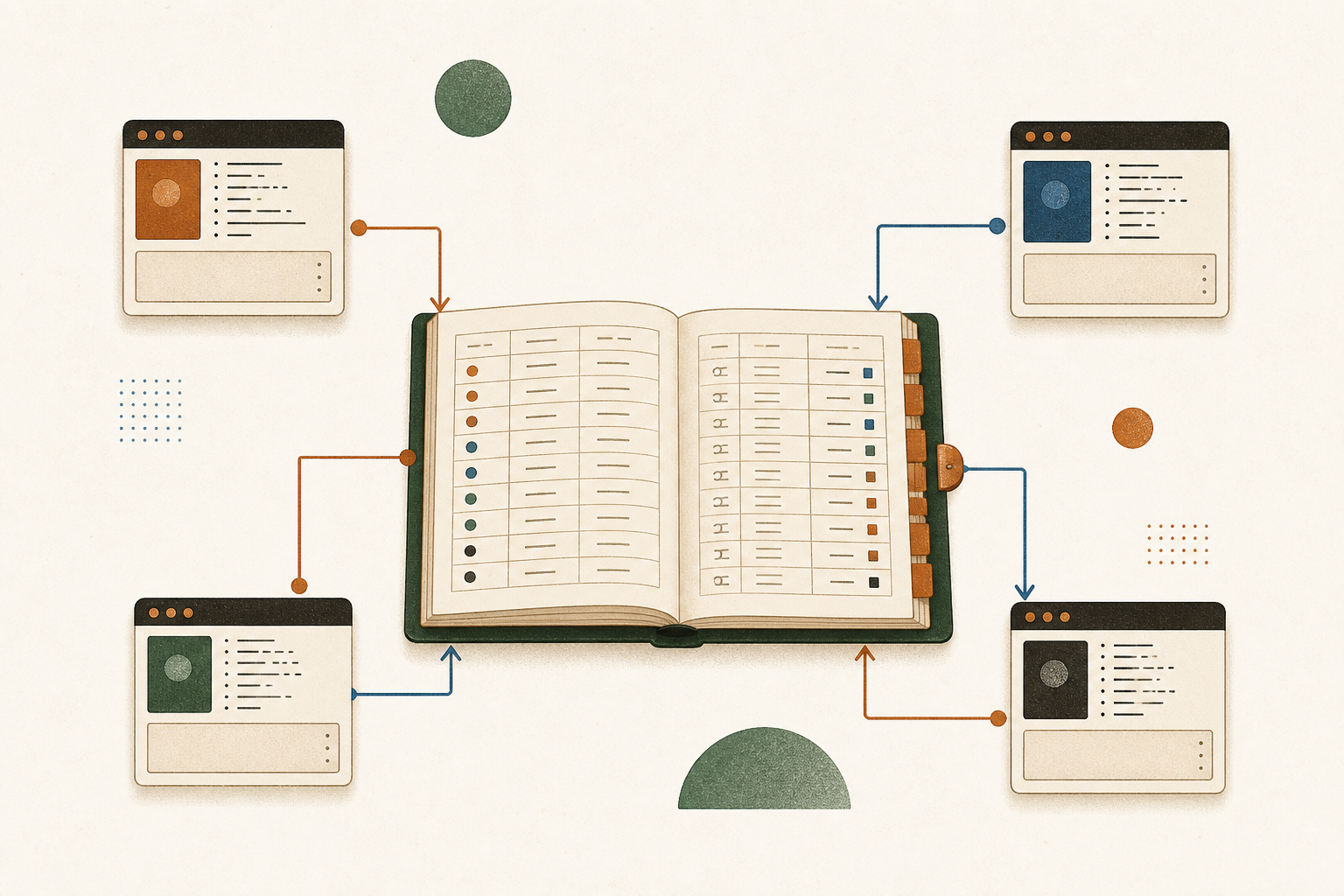
One database. Whatever wrote it — your shell or your agent — appears here.
~/code/api
$ backlog task add -p api \ -t "Fix login timeout on /api/session" \ --type bug --priority P2 \ --as human:alice
✓ created TASK-42 → api/backlog.db
attributed to human:alice · indexed in FTS5 · activity logged
$ backlog task show TASK-42 --json
{
  "ref": "TASK-42",
  "title": "Fix login timeout on /api/session",
  "type": "bug",
  "priority": 2,
  "status": "todo",
  "actor": "human:alice",
  "project": "api"
}
human:alice committed TASK-42 to api/backlog.db ↺ live demo
Star on GitHub Full getting started guide →
Works with the tools your agents already use
  • Claude Code
  • Cursor
  • Codex
  • OpenCode
  • MCP
  • CLI
  • Git
We spent a decade teaching humans to fit into Jira. Now we're going to ask an LLM to do it? An AI agent's backlog should be a file it can read — not a SaaS it has to apologize to.
The agentic loop

Same workday.

A loop is one unit of work: pick → plan → run → review → ship. Backlog stores the queue, attributes every step, and keeps multiple agent sessions from stepping on each other. Four parallel sessions pull from the same queue all day — we've measured ~12× the throughput of one developer running a single agent.

And because each task spawns a fresh subagent with only the context it needs, the average session fits in under 50k tokens instead of the 500k a single long-running thread bloats into — same quality, roughly 10× cheaper per loop.

Sequential
one developer · one agent session
0 × baseline
09:00 10:00 11:00 12:00 13:00 14:00 15:00 16:00 17:00 TASK-1 · plan · run · review · ship TASK-2 · plan · run · review · ship
same workday
Agentic loop · 4 sessions in parallel
one queue · attribution per session · no merge conflicts
0 × the loops
session-1 · ai:claude-code session-2 · ai:claude-code session-3 · ai:cursor session-4 · ai:codex
Why it works

Each agent reads backlog task list --status todo --limit 1, moves it to doing, attaches a plan, ships a PR, posts a completion comment, and marks done. The next session picks up immediately. The DB enforces attribution; the activity log records every step.

Why it's safe

The Backlog DB handles concurrent writers from multiple sessions. Each task is owned by exactly one actor at a time. Plans are versioned, so an agent never overwrites another's work. Conflicts surface as commits, not silent drift.

Why it scales

The queue is just rows in the Backlog DB. Four sessions is a starting point — add more for bigger backlogs, or run nightly batches against the same database. The CLI, the MCP server, and the web UI all share the same writes.

How we measured 12×

Baseline: one developer running a single agent session, plan-then-run-then-review per task. Same developer, same agent model, same workday — four sessions hitting one queue. Throughput measured by done tasks in the activity log. The 12× figure is the median across week-long runs; we've seen higher with longer queues and lower with tasks that require human review on every PR.

Why it's ~10× cheaper

One long agent thread accumulates everything it has seen — old plans, dead branches, files it loaded an hour ago. Token bills scale with that bloat. With backlog, each task spawns a focused subagent with only what the task needs: the task description, the relevant memory entries, and the linked plan. Most loops finish in 30–60k tokens. The same work in a single 500k-token session costs an order of magnitude more for the same output.

Specialized subagents per task

Different work needs different context. A SAST finding gets a security-focused subagent with the scanner output and the auth-related docs. A feature task gets a feature-shaped subagent with the PRD memory and the affected handler files. Each subagent is born fresh, knows only what it needs, and is gone when the task is done. No cross-contamination, no runaway context.

Up and running in three commands.

1
Initialize
Run backlog init in any directory. Three files are created. The workspace is ready.
backlog init
2
Create tasks
Via the CLI, the web UI, or an AI agent via MCP. Every write is tagged with a typed actor at the DB level.
backlog task add -p api -t "Fix login timeout" --type bug --priority P2
3
Ship
The entire history lives in backlog.db. Commit it with your code. No sync needed.
git add backlog.db backlog.json && git commit -m "chore: update backlog"

Every action has an author.

Every task, plan, comment, and doc is tagged with a typed actor at the database level — not a log on top, the row itself. Filter your backlog by who (or what) created anything.

Learn about actors →
Attribution on every write
# Human opens a vulnerability task
backlog task add -p api \
  -t "SQL injection in /search" \
  --type vulnerability --priority P1 \
  --as human:alice

# Security scanner imports findings in bulk
backlog import-findings findings.json \
  --as ai:semgrep

# See exactly who did what
backlog task list --actor-kind ai
backlog task list --actor-name alice --type vulnerability

Your AI assistant is already in your backlog.

Connect Claude Code, Cursor, Codex, or OpenCode directly via the MCP stdio server. The AI reads tasks, writes plans, leaves comments — all attributed with its own actor name. One config, full access.

Claude Code Cursor Codex OpenCode
MCP setup guide →
~/.claude.json
{
  "mcpServers": {
    "backlog": {
      "command": "backlog",
      "args": ["mcp", "serve", "--as", "ai:claude-code"],
      "env": {
        "BACKLOG_DB": "/path/to/backlog.db"
      }
    }
  }
}
The AI can create tasks, attach plans, move status, and leave comments — all from within its conversation context.

Plans evolve.
Every version is permanent.

Attach a markdown plan to any task. Every edit creates an immutable version — no history is ever lost. See exactly what changed, who changed it, and why.

How versioned plans work →
VER TITLE ACTOR NOTE
v1 Fix unsigned JWT rejection ai:claude-code
v2 Fix unsigned JWT rejection (revised) human:alice added key rotation step
v3 Fix unsigned JWT rejection (final) human:alice removed step 4 per review
backlog plan history $PLAN_ID
backlog web

The same backlog, in your browser.

A polished workspace served straight from the binary. List, board, grid, and timeline views. Inline editing on every property. No build step, no separate front-end repo.

localhost:8080 / tasks
Tasks

Open in api

23 open · 8 in progress · 41 done
List Board Grid Timeline
+ New task N
⌕ Search tasks… + Filter ▾ ↕ Priority Archived
RefTitleTypePriorityStatusActor
TASK-1 Reject unsigned JWTs in auth middleware vulnerability P1 todo ai:semgrep
TASK-2 Fix login timeout on /api/session bug P2 doing human:alice
TASK-3 Add rate limiting to /search endpoint feature P3 done ai:claude-code
TASK-4 Migrate session storage to Redis improvement P2 todo human:alice
TASK-5 SQL injection in /users search vulnerability P1 doing ai:semgrep
List · Board · Grid · Timeline
Four views, one keystroke.
Kanban for sprint flow, grid for inline editing, list for triage, timeline for retros. The last view used is remembered per project.
Inline-editable detail page
Click any property to edit.
Status, priority, type, assignee, due date — all editable inline with a single click. Comments and plans live on the same page.
Deep links + history.pushState
Every URL is shareable.
/tasks/TASK-42, /docs/architecture, /memory?tag=decision — paste it in Slack, refresh, hit back, all work.
Archived view + restore
Nothing is ever lost.
Archived tasks slide out of the list with a soft fade, restoreable in one click. Activity log records every archive.
All in one DB

Six surfaces. One file. Every write attributed.

Tasks are the core, but the agent loop needs more — plans the agent writes, docs it reads, memory it remembers, attachments it analyses, an activity feed humans audit.

Typed work items the agent can pick from.

Tasks have a status, type, priority, assignee, and a TASK-N ref humans actually type. The CLI, MCP, and web UI all hit the same row.

backlog task list --status todo --priority P2 --limit 1 --json
TASK-1Reject unsigned JWTs in auth middlewareP1todo
TASK-2Fix login timeout on /api/sessionP2doing
TASK-3Add rate limiting to /search endpointP3done
TASK-4Migrate session storage to RedisP2todo

Built for real teams.

Whether you're working alone with an AI agent, running a security program, or shipping as a team — the workflow fits.

Solo dev + AI agent
"You and Claude, on the same backlog."

You create tasks. Your AI agent drafts plans, leaves comments, imports findings — all tagged with its own actor name. At the end of the sprint you can see exactly what was done and by whom. No guessing what the AI touched.

Filtering by actor
# What has the AI worked on?
backlog task list --actor-kind ai

# What did alice close this week?
backlog task list --actor-name alice --status done

# AI-created plans on open bugs
backlog task list --type bug --actor-kind ai --status todo
Security & compliance
"Every finding becomes a tracked task."

Point your scanner at the findings format. Import in bulk with a single command. Every vulnerability becomes a TASK-N with source, external ref, and a pre-attached remediation plan — attributed to the tool that found it.

findings.json → backlog
backlog import-findings scan.json --as ai:semgrep

# Review what was imported
backlog task list \
  --actor-name semgrep \
  --type vulnerability \
  --priority P1
Engineering teams
"The backlog lives where the code lives."

Commit backlog.db and backlog.json to the repo. Every team member — and every AI agent — has the same backlog from the moment they check out the branch. No sync service. No separate account to create.

Team workflow
# On checkout — sync manifest with DB
backlog sync

# Open the shared web UI
backlog web --port 8080

# Export for the weekly report
backlog export --format md --project api
Everything ships in the binary

Four capability areas. No plugins, no tiers, no paid upgrades.

01

Queue + identity

A typed work queue with first-class actor attribution at the row level.

  • TASK-N refs alongside ULIDs.
  • Actor human:name or ai:name on every write.
  • FTS5 search with prefix and boolean operators.
  • Labels per project, with color tokens.
  • Archive + restore with a soft-delete trail.
02

Agent loop

The pieces an agent needs to plan, ship, and pick up the next task.

  • Versioned plans — every edit an immutable row.
  • Project docs — markdown the agent loads as context.
  • Memory — tagged decisions that survive sessions.
  • Comments — completion protocol attestation.
  • Activity log — append-only audit trail.
03

Interfaces

CLI, MCP, web UI, and skills — all on the same service layer.

  • CLI — 14 verb groups, --json on every command.
  • MCP stdio — Claude Code, Cursor, Codex, OpenCode.
  • Web UI — list, board, grid, and timeline views.
  • HTTP API — for scripts and custom clients.
  • Skills/backlog + /backlog-enhance-tasks.
04

Ops

The boring parts that make a v1 actually trustworthy.

  • Doctor — integrity check + atomic VACUUM INTO backup.
  • Import — bulk findings JSON for scanners.
  • Export — JSON, CSV, Markdown.
  • Profiles — named workspaces in TOML.
  • Migrations — embedded SQL, auto-applied on open.
MCP-ready clients Claude Code Cursor Codex OpenCode
Honest comparison

Backlog wins where the agent loop matters.

It loses on real-time collaboration and 500-person rollouts. Different tools, different problems.

Backlog Linear Jira GitHub Issues
AI agent can read & write directlynative (MCP)via API + gluevia API + gluevia API + glue
Typed actor on every rowyes — columnnonono
Immutable plan versionsyes — every editedit overwritesedit overwritesedit overwrites
Workspace = file in your reposingle Backlog DBcloud-onlycloud-onlytied to repo
Self-hosted / offlinesingle binarynoon-prem tierenterprise tier
Real-time multi-cursor editingnoyesyespartial
Built-in integrations marketplacenoextensiveextensiveextensive
Pricingfree · MITper seatper seatper repo

If you need a sprint board for fifty stakeholders, use Linear. If you want a queue your agents can drain overnight, this.

Questions you'll have

The honest answers.

How does a team share the backlog without a server?
Commit backlog.db and backlog.json to the same repo as your code. Every checkout has the full backlog. Pulls merge it like any other file. For day-to-day collaboration during a session, point your team at one machine running backlog web on a port.
What happens with merge conflicts on backlog.db?
SQLite is a binary file, so git's textual merge won't help. The practical workflow: treat backlog.db like a build artefact — one person rebases, runs backlog import from the other branch's DB, and commits the merged result. The --dry-run mode previews the merge first. For tighter sync, backlog sync reconciles against backlog.json.
Will SQLite hold up at scale?
SQLite handles tens of thousands of rows on a laptop and millions on a server with no fuss. The bottleneck for a backlog is human attention, not row count. WAL mode supports multiple concurrent readers and a single writer; four parallel agent sessions hit that limit only briefly during commits.
Why not just use Linear or Jira's API from my agent?
You can. But you're then paying for API quota, dealing with rate limits, and writing prompt glue for fields the agent doesn't understand. With Backlog the MCP server runs locally, attribution is enforced by the schema, and the agent has full read/write in one config line.
What if I outgrow SQLite or want centralised infra?
Export with backlog export --format json or pull rows through the HTTP API. The data model is documented; importing into a Postgres-backed clone is a weekend, not a migration. You're never locked in — your backlog is a flat file.
Is this free? Will it stay free?
MIT-licensed, self-hosted, no telemetry. There's no cloud SKU to upsell into, no separate "Enterprise" version. If a hosted offering ever ships it will sit alongside the OSS, not replace it.

Get running in under a minute.

Single static binary. No CGO. No runtime dependencies. Go 1.22+.

Go install (recommended)
go install github.com/mazen160/backlog/cmd/backlog@latest
macOS (Apple Silicon)
curl -L https://github.com/mazen160/backlog/releases/latest/download/backlog_darwin_arm64.tar.gz | tar xz
sudo mv backlog /usr/local/bin/
Linux (amd64)
curl -L https://github.com/mazen160/backlog/releases/latest/download/backlog_linux_amd64.tar.gz | tar xz
sudo mv backlog /usr/local/bin/

Then run backlog init in any directory to create your first workspace.

Full getting started guide →